Drive revenue faster with Zoho and QuoteCloud
Count on QuoteCloud to help you leave a lasting impression on customers and prospects by delivering quick, accurate quotes that are easy to generate and hard to beat. Seamlessly integrated with Zoho CRM for maximum efficiency.
No credit card required
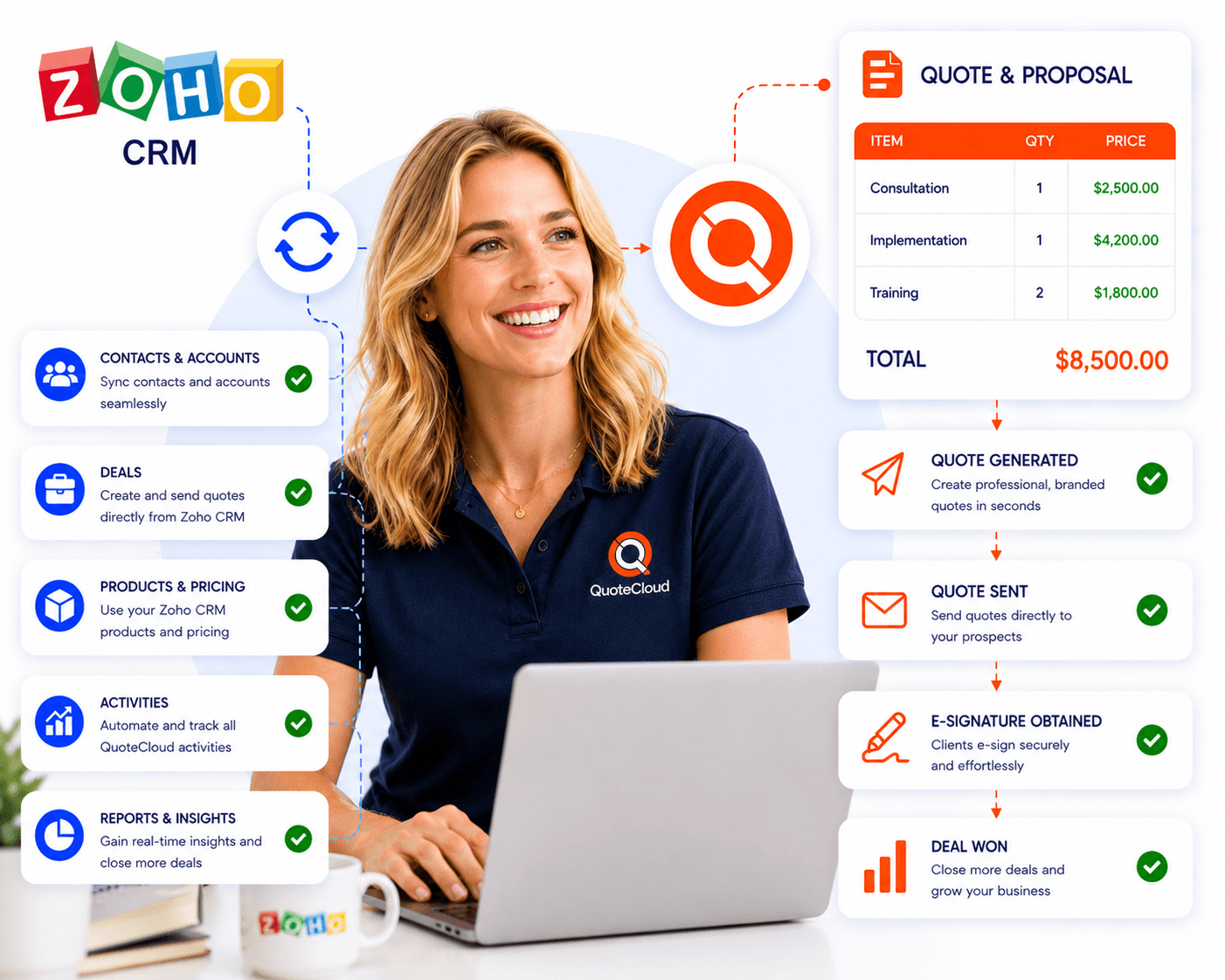
Experience the seamless integration of QuoteCloud and Zoho in action, revolutionizing your document management process directly from Zoho.
Sell smarter
Streamline your sales cycle within Zoho CRM by automating document generation and eSignature collection seamlessly.
Create compelling proposals
Effortlessly generate documents from Zoho CRM with QuoteCloud. Craft personalized and precise proposals using customizable templates and drag-and-drop content library elements for quick customization. Impress your customers with rich media and interactive sections.
Secure legally-binding eSignatures
Initiate document signing directly from Zoho CRM for deals, accounts, or other Zoho CRM objects. Allow prospects to review and eSign documents from any device, free of charge. With QuoteCloud's included eSignatures, ensure legal compliance without the need for separate tools.
Track documents within Zoho
Gain comprehensive insight into prospect interactions with your documents. Receive real-time notifications on document activity, including opens, views, and completions, directly within your Zoho CRM account.
Create accurate quotes effortlessly
Simplify product and service pricing with QuoteCloud's quoting software. Populate product data seamlessly into your quotes, proposals, and contracts. Utilize interactive pricing tables with auto-calculated discounts, taxes, optional items, editable quantities, and more.
Merge Zoho CRM data
Automatically populate new documents with deal, customer, product, pricing, and other details from standard or custom fields. Enjoy personalized documents with just a few clicks, with deal or account contacts automatically added as signers.
Facilitate document collaboration
Enable prospects and colleagues to share comments directly within documents, eliminating cluttered email threads. Ensure compliance with automated approval workflows, allowing approvers such as sales managers or legal teams to review documents before sending.
Maximize integration benefits
Explore the wide array of features available in the QuoteCloud and Zoho integration to streamline workflows and boost efficiency. Access our comprehensive help center resources, including insightful articles, FAQs, and how-to videos, to ensure you leverage the integration's full potential.
How to setup QuoteCloud for Zoho via Zapier integration?
Step 1
Set up a Zap: Log in to your Zapier account and click on the "Make a Zap" button. Choose QuoteCloud as the trigger app and select the desired trigger event, such as "New Document Created" or "New Customer Created." Then, click "Continue."
Step 2
Connect your QuoteCloud account: Follow the prompts to connect your QuoteCloud account to Zapier. You may need to enter your QuoteCloud API key or authorize Zapier to access your QuoteCloud account.
Step 3
Configure the action: After connecting QuoteCloud, choose Zoho CRM as the action app. Select the action you want to perform in Zoho CRM, such as "Create Contact" or "Create Deal." Follow the prompts to connect your Zoho CRM account and map the fields from QuoteCloud to Zoho CRM. Once you've configured the action, click "Continue" to test your Zap and turn it on
How to setup QuoteCloud for Zoho via Zapier integration?
Step 1
Set up a Zap: Log in to your Zapier account and click on the "Make a Zap" button. Choose QuoteCloud as the trigger app and select the desired trigger event, such as "New Document Created" or "New Customer Created." Then, click "Continue."
Step 2
Connect your QuoteCloud account: Follow the prompts to connect your QuoteCloud account to Zapier. You may need to enter your QuoteCloud API key or authorize Zapier to access your QuoteCloud account.
Step 3
Configure the action: After connecting QuoteCloud, choose Zoho CRM as the action app. Select the action you want to perform in Zoho CRM, such as "Create Contact" or "Create Deal." Follow the prompts to connect your Zoho CRM account and map the fields from QuoteCloud to Zoho CRM. Once you've configured the action, click "Continue" to test your Zap and turn it on
FAQs
Disclaimer: Parties other than QuoteCloud may offer products, services, recommendations, or opinions on QuoteCloud's platform ("Third Party Materials"). QuoteCloud does not undertake the examination or evaluation of such Third Party Materials and does not provide any warranties concerning them. Links to Third Party Materials are provided for convenience and do not imply an endorsement by QuoteCloud.