Free E-Signature Software Built Into every QuoteCloud Plan
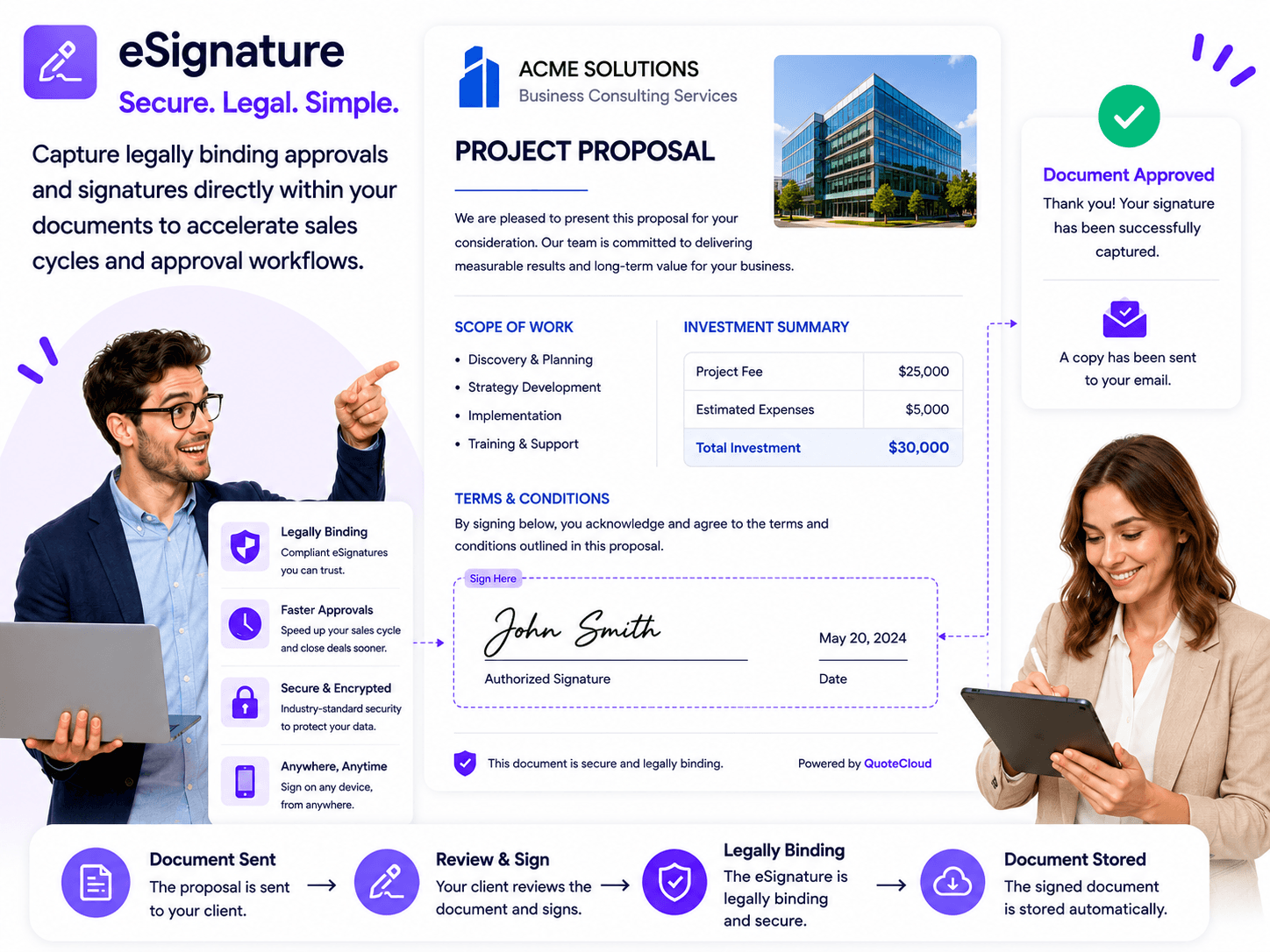
QuoteCloud includes electronic signatures with every subscription plan, allowing you to add e-signatures, electronic initials and customer input fields anywhere within your documents.
Create contracts, proposals and agreements from scratch, or upload an existing PDF and place signatures, initials and form fields directly over the original PDF pages.
One document. One workflow. No separate signing software required.
No credit card required
Join over Thousands of others benefiting from streamlined free e-signatures.


E-Signatures Without Another Software Subscription
Electronic signatures are often treated as a separate product, forcing businesses to create their documents in one application before uploading them into another platform simply to collect a signature.
QuoteCloud removes that additional step.
E-signature software is included with every QuoteCloud subscription plan, so the same platform you use to create your quotes, proposals, contracts and business documents can also be used to send them for electronic signature.
There is no need to export your finished document, upload it into another signing application and manage another version of the same file.
Create it. Send it. Sign it. Keep everything together.

Put a Signature Exactly Where You Need It
Signatures That Are Part of Your Document — Not Added as an Afterthought
QuoteCloud's E-Sign content block can be inserted wherever a signature is required within your document.
Place an electronic signature at the bottom of a contract, beside an acceptance clause, inside an approval section or alongside other customer information.
You can also insert electronic initials wherever individual clauses, pages or sections need to be acknowledged.
A single document can contain multiple signature and initial locations, allowing you to build the signing process around the document rather than forcing the document to fit a predefined signature page.


Turn Existing PDFs Into Interactive, Signable Documents
Upload a PDF. Add Fields. Send It for Signature.
Not every document needs to be recreated from scratch.
If you already have a contract, agreement, application form or other document in PDF format, upload it into QuoteCloud and continue working directly over the original pages.
QuoteCloud allows you to place interactive content on top of your PDF pages, including:
- Electronic signature fields
- Electronic initials
- Text input fields
- Customer information fields
- Form elements
- Other QuoteCloud content
Position each element exactly where it belongs on the original PDF page.
This means an existing PDF can become an interactive electronic document without rebuilding the entire document in another editor.

Make Signing Easier for Your Customers
The easier a document is to sign, the less likely it is to sit forgotten in someone's inbox.
Recipients can complete the signing process electronically without printing, manually signing, scanning and returning the document.
QuoteCloud currently allows recipients to create their electronic signature by drawing it, typing it or uploading a signature image. QuoteCloud
The customer stays focused on the document you sent rather than being redirected into an unrelated workflow.
For sales teams, that means fewer unnecessary steps between "I'm ready to proceed" and a completed agreement.

Create New Documents and Sign Them in the Same Workflow
PDF overlay is useful when you already have a document, but QuoteCloud also allows you to build the entire agreement from within the platform.
Create a contract, proposal, quotation, order form or other business document using QuoteCloud's document editor, then insert signature and initials blocks exactly where they are required.
Because the signature process is built into the document workflow, your customer can move naturally from reviewing the content to completing information and signing their acceptance.
This is particularly useful for documents where pricing, forms, approvals and signatures all form part of the same customer interaction.

One Document Can Collect Multiple Signatures
Some agreements need more than one person to sign.
QuoteCloud allows signature requirements to be assigned to multiple recipients, making it suitable for agreements involving customers, suppliers, internal approvers or other parties.
You can also place multiple signature locations throughout the same document rather than restricting each signer to a single signature field. QuoteCloud's existing electronic-signature functionality supports multi-party signing and multiple signing locations. QuoteCloud
This makes QuoteCloud useful for everything from simple quote acceptance through to more involved contracts and approval workflows.

Your existing PDF. Your original design. Now ready for electronic signing.
Everything You Need to Get Documents Signed
E-Signatures Included
Electronic signature functionality is available across all QuoteCloud subscription plans, helping eliminate the need for a separate e-signature product.
Sign Anywhere
Insert an electronic signature wherever it belongs within your QuoteCloud document rather than being limited to a predefined signing page.
Electronic Initials
Add e-initial fields to individual clauses, sections or pages when additional acknowledgement is required.
Sign Existing PDFs
Upload an existing PDF and position electronic signatures directly over the original PDF page.
Add Fields Over PDFs
Turn static PDFs into interactive documents by adding customer input fields, form elements, signatures and initials over existing content.
Multiple Signers
Assign signing requirements to multiple people when a document requires acceptance from more than one recipient.
Why Built-In E-Signatures Matter
Electronic signatures become considerably more useful when they are part of the document rather than an additional process added at the end.
With QuoteCloud you can create the proposal, configure pricing, collect customer information, collaborate on changes, gain approval and collect electronic signatures without moving the customer between multiple disconnected applications.
That gives your team one place to manage the customer document from creation through to completion.
And when the starting point is an existing PDF, QuoteCloud can help bridge the gap between old document workflows and a more interactive digital process.
More Than Just E-Signature Software
A dedicated electronic-signature platform solves one problem: getting a document signed.
QuoteCloud is designed to manage everything surrounding that signature as well.
Create professional documents, build pricing tables, insert forms and input fields, collaborate with customers, embed existing PDFs, collect approvals and complete the process with electronic signatures.
For organisations already creating quotes, proposals, agreements and contracts, having all of those capabilities in one platform can remove unnecessary hand-offs between document creation and signature software.
FAQs
Disclaimer: Parties other than QuoteCloud may offer products, services, recommendations, or opinions on QuoteCloud's platform ("Third Party Materials"). QuoteCloud does not undertake the examination or evaluation of such Third Party Materials and does not provide any warranties concerning them. Links to Third Party Materials are provided for convenience and do not imply an endorsement by QuoteCloud.