Two Powerful Ways to Build Documents in QuoteCloud.
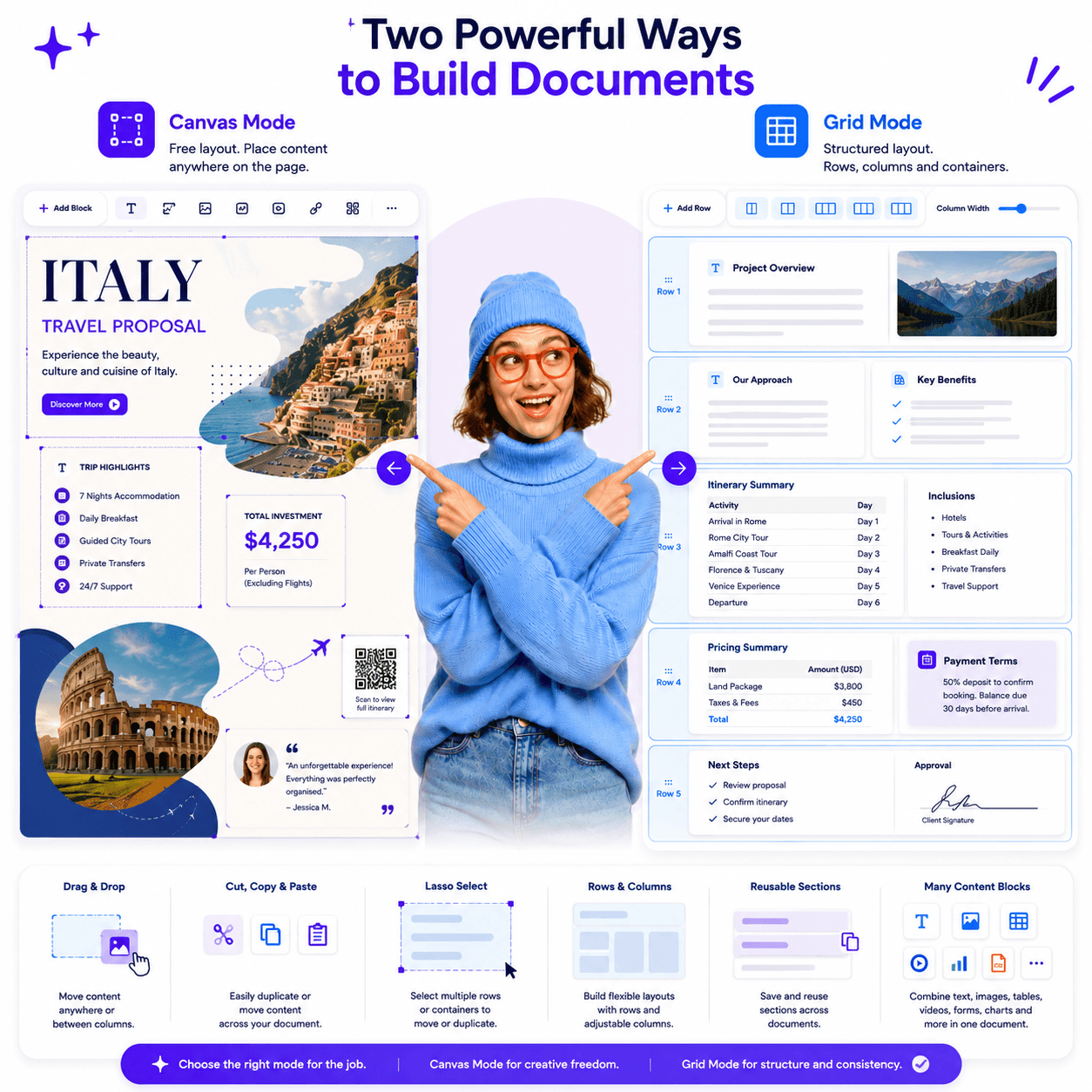
QuoteCloud gives users the flexibility to create documents in the way that best suits the content, the audience and the outcome. Some documents need the freedom of a visual design canvas. Others need the structure and consistency of rows, columns and reusable layouts.
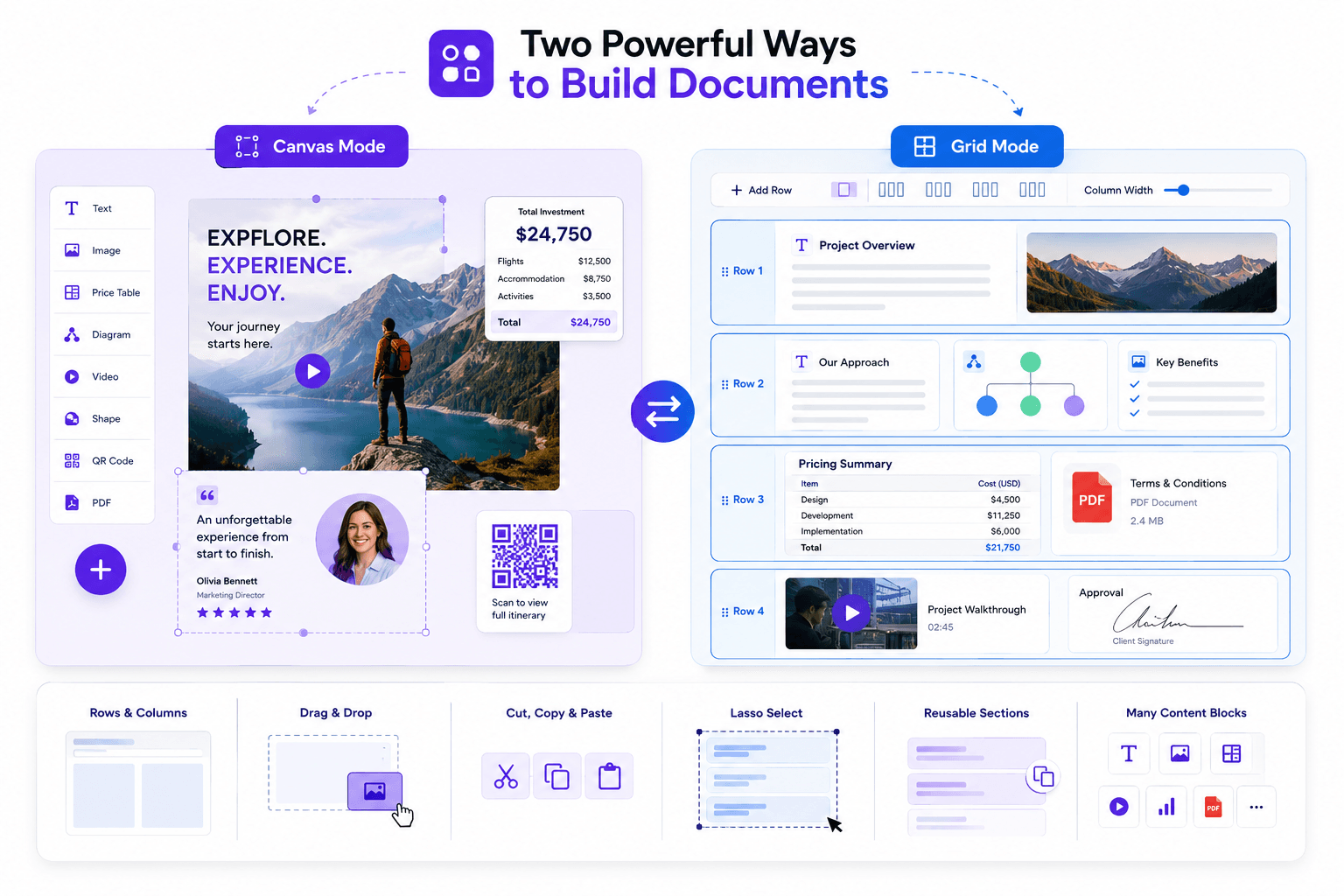
That is why QuoteCloud includes two document editing modes: Canvas Mode and Grid Mode.

No credit card required
Canvas Mode
Canvas Mode
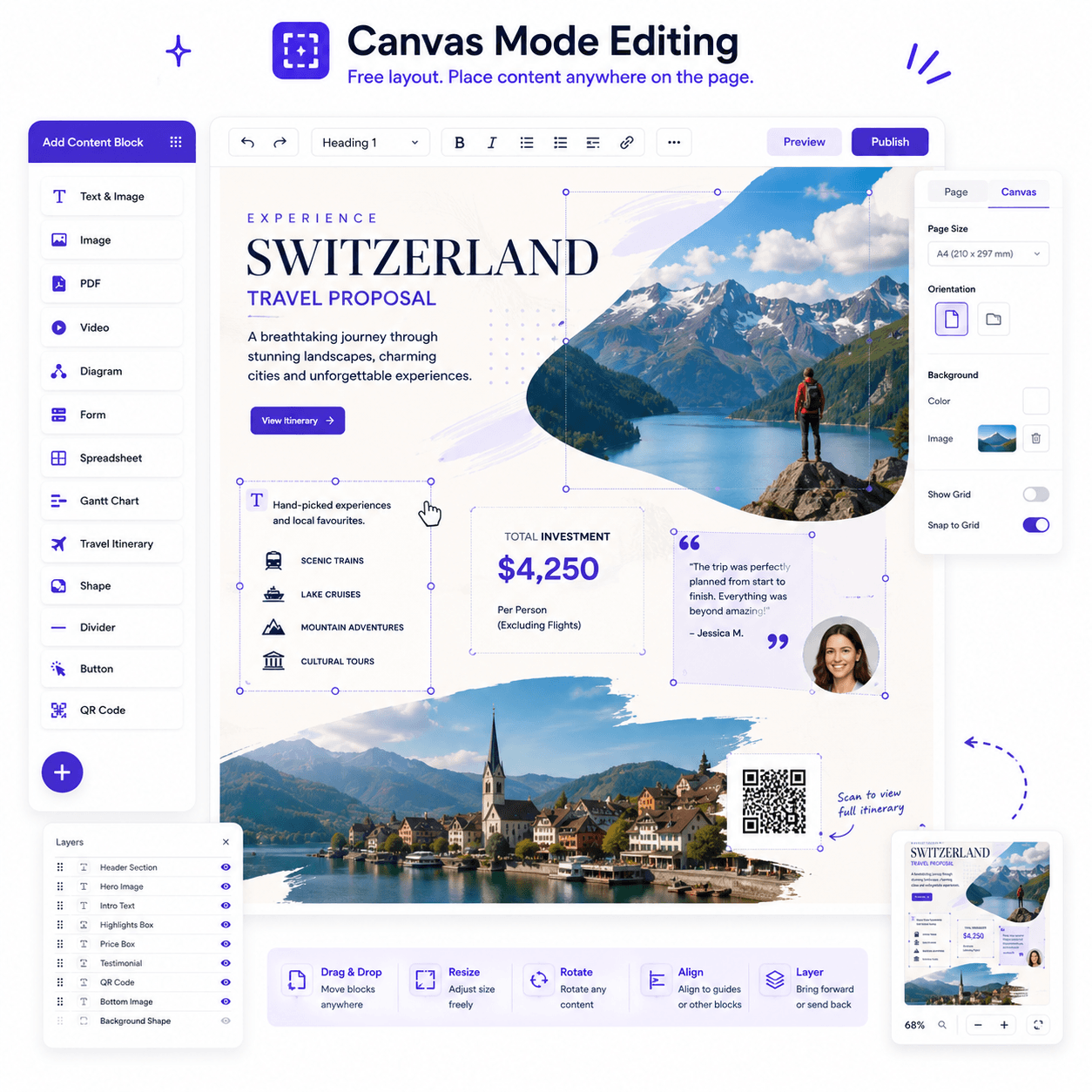
Canvas Mode gives users the ability to place content blocks anywhere on the page. It works more like a visual design tool, similar to Canva or PowerPoint, where each content block can be positioned freely to create highly customised layouts.
Canvas Mode: Complete Creative Freedom
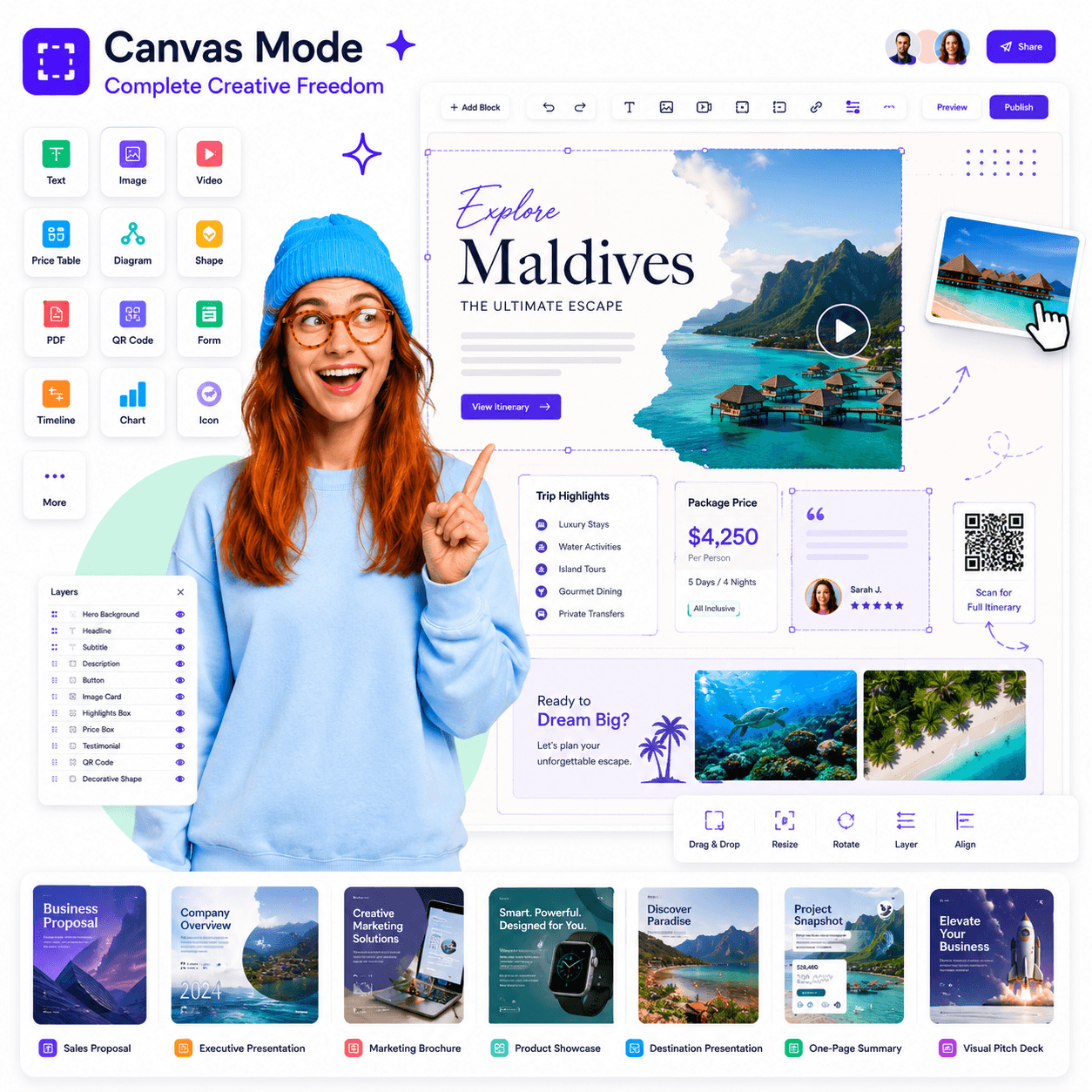
Canvas Mode gives users the ability to place content blocks anywhere on the page. It works more like a visual design tool, similar to Canva or PowerPoint, where each content block can be positioned freely to create highly customised layouts.
This mode is ideal when presentation, branding and visual impact are important. Users can place text, images, price tables, diagrams, shapes, videos, QR codes and other content blocks exactly where they want them on the page.
Canvas Mode is perfect for:
- Highly visual sales proposals
- Executive presentations
- Marketing documents
- Product showcases
- Destination presentations
- Designed cover pages
- Branded client-facing documents
- One-page summaries
- Visual pitch documents
With Canvas Mode, users are not restricted to a traditional document flow. They can create layered, visual layouts that look more like a professional presentation, brochure or designed proposal.
Grid Mode
Grid Mode
Structured Rows and Columns
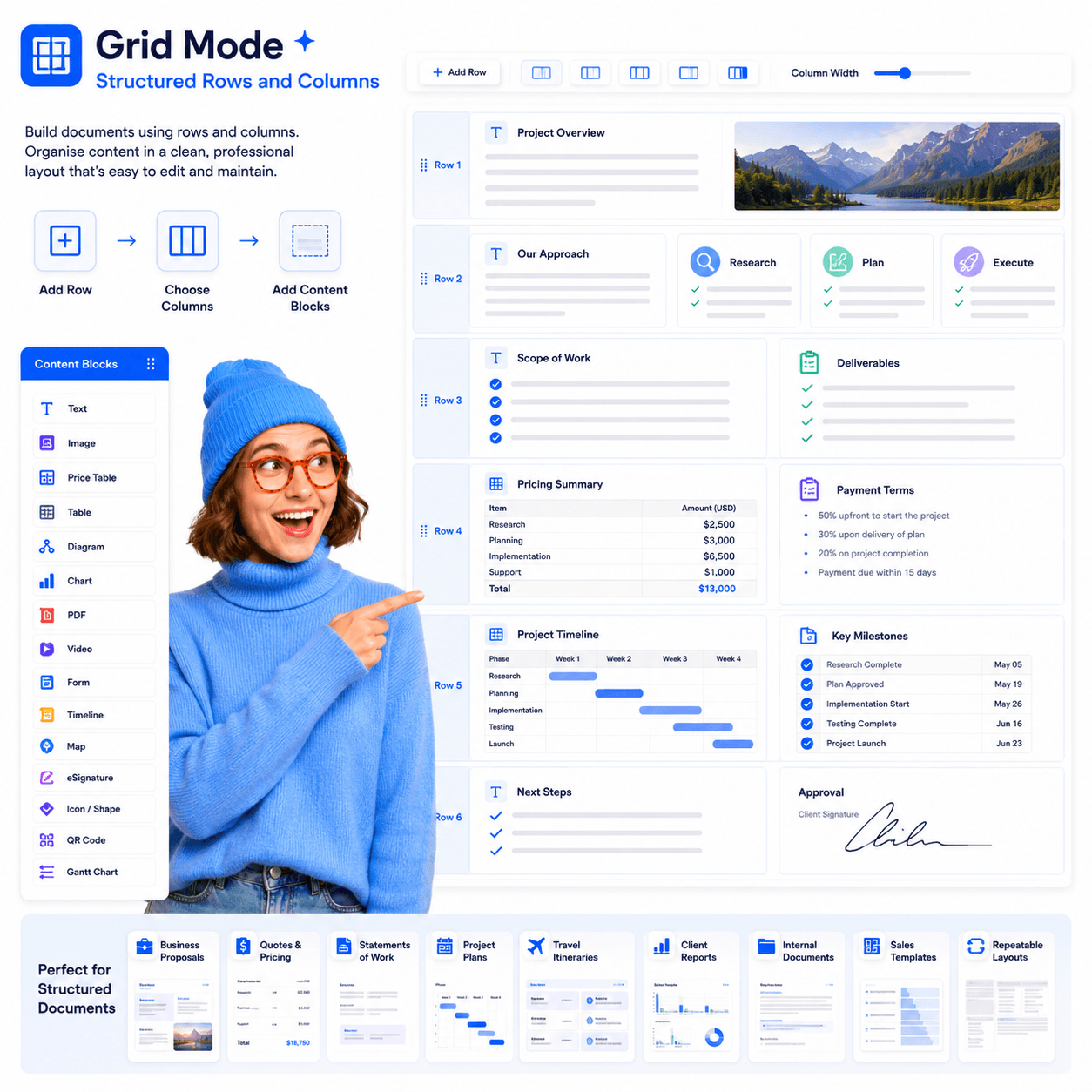
Grid Mode is designed for users who want a more structured approach to document creation. Instead of freely placing content anywhere on the page, users build documents using rows and columns.
Each row acts as a container. Within that container, users can choose how many columns they need and adjust the width of each column. Content blocks can then be placed inside each column and stacked vertically.
This gives users the control of a professional layout system while still keeping the document easy to edit, organise and maintain.
Grid Mode is ideal for:
- Business proposals
- Quotes and pricing documents
- Statements of work
- Client reports
- Project plans
- Travel itineraries
- Internal documentation
- Structured sales templates
- Repeatable document layouts
QuoteCloud’s dual editing modes give users the best of both worlds:
Canvas Mode for freeform design, creative layouts and precise visual positioning. Grid Mode for structured rows, flexible columns and organised business document layouts.
Together, they make QuoteCloud a powerful document creation platform for teams that need more than a traditional word processor.
Integrated with the apps you love









1000's of tools ready to use
Integrate QuoteCloud with the tools you use everyday so your sales team can focus on the important things they need to get done.
FAQs