
Tres CCTE bookings, as branded itineraries
The Tres CCTE Itinerary Sync add-on maps your mid-office booking into your itinerary template, team by team.
- 5/5 on G2
- 4.2 on Capterra
- Building QuoteCloud since 2013
QuoteCloud's Tres CCTE Itinerary Sync add-on opens itineraries from the Tres CCTE mid-office in QuoteCloud with the data mapped into your team's itinerary template, such as Travel Itinerary Template (Style 1). Consultants enhance it with images, PDFs, videos and pricing, and travellers sign and pay online.
The Tres CCTE mid-office of a fictional agency, Saltpine Travel Co., joined by a dotted line to three teams, each with its own sample CCTE branch code: Riverside leisure (SPT-RVS-01), Northgate leisure (SPT-NGT-02) and Corporate (SPT-CORP-03). Beside each team, the itinerary that arrives in that team's template lights in turn: a Lisbon, Douro and Porto trip in Style 1, a Hoi An and Hanoi trip in Style 2 and a Singapore client visit in Style 3.
One mid-office booking, part by part
Hamish and Grace's Portugal trip was booked in Tres CCTE and opened in the Riverside team's template. This is what came across and what Tomás added.
-
In your template, with your branding
The booking opened in Travel Itinerary Template (Style 1), the template the Riverside team picked in its Travel API Settings.
Saltpine Travel Co.Itinerary proposal SP-24915 Sample · fictional businessItinerary proposal
Lisbon, the Douro & Porto
Ten nights from Lisbon's hills to the vineyards of the Douro and Porto's riverfront, built from our booking in Tres CCTE.
-
From Tres CCTE
Itinerary data, mapped automatically
The flight, the transfer and the Lisbon hotel arrive as segments labelled "Imported from Tres CCTE". QuoteCloud's Tres CCTE page says exported itineraries open with the itinerary data mapped automatically.
Your itinerary Imported from Tres CCTE
-
Day 1Fri 10 SepRiverside to Lisbon
- Riverside (RVS) → Lisbon (LIS), one stopDeparts 21:40 · arrives Sat 13:05 Imported from Tres CCTE
- Private transfer to the ChiadoYour driver meets you after customs Imported from Tres CCTE
- Lisbon hotel in the Chiado · 4 nightsBreakfast daily Imported from Tres CCTE
5 more days in the full itinerary
-
-
Consultant adds
Your own days, beside the booked ones
The Sintra day tour and the Douro wine estate day are typed in with Add a Segment; the train and the quinta came from the booking.
Your itinerary Imported from Tres CCTE
-
Day 2Sat 11 SepSintra
- Sintra & Cascais day tourPalaces in the hills, then the coast
-
Day 5Tue 14 SepInto the Douro
- Lisbon → Porto, then the DouroFirst class · transfer to the valley Imported from Tres CCTE
- Douro valley quinta · 2 nightsDinner on the first night Imported from Tres CCTE
-
Day 6Wed 15 SepVineyards
- Douro wine estate dayLunch, tasting and a river walk
3 more days in the full itinerary
-
-
Travellers choose
Per person, with the choices left to them
The room category is a single choice and the excursions are optional, so Grace and Hamish shape the trip themselves. The deposit is a fixed $500 per traveller.
Your trip price
2 people · Per person, twin share
Item Per person Amount Travel Return flights, economyOne stop each way$1,980 $3,960.00 10 nights' accommodation · Superior roomsLisbon 4, Douro 2, Porto 4$3,190 $6,380.00 Rail & private transfersAirport transfers, Lisbon → Porto by train, Douro transfer$410 $820.00 Excursions Tick to add $95 $190.00 $145 $290.00 $210 $420.00 - Per person
- $5,935.00
- Trip total · 2 × per person
- $11,870.00
- Deposit to confirm, per traveller, paid on signing · $500 × 2
- $1,000.00
- Balance due 8 weeks before departure, invoiced by Saltpine TravelDue Fri 16 Jul 2027
- $10,870.00
Fares held until Tue 3 Nov 2026. After that, fares and availability may change.
-
Both sign, each in their own block
Grace has signed; Hamish's signature is still to come. Neither needs an account, and the deposit is paid on signing.
Accept and sign
1 of 2 signed
- Grace DoyleLead traveller SignedWed 28 Oct
- Hamish DoyleTraveller Awaiting signature
Agreement summary
- Trip total
- $11,870.00
- Deposit on signing
- $1,000.00
- Balance due
- $10,870.00 by Fri 16 Jul 2027
Certificate of authenticity and audit trail attached

Style 1, 2 or 3: one per team, or one per brand
The three Travel Itinerary Templates QuoteCloud's Tres CCTE page names, all real templates. Open one, add your branding, and choose it in a team's Travel API Settings.
- Itinerary template Travel Itinerary Template (Style 1) A quote and proposal for travel services: dates, a cost breakdown and booking, payment and travel terms. View template
- Itinerary template Travel Itinerary Template (Style 2) The itinerary and essentials: dates, places, contacts, terms, liability, insurance guidance and payment options. View template
- Itinerary template Travel Itinerary Template (Style 3) A sales proposal with pricing, cancellation and payment terms, and passport, visa and insurance information. View template
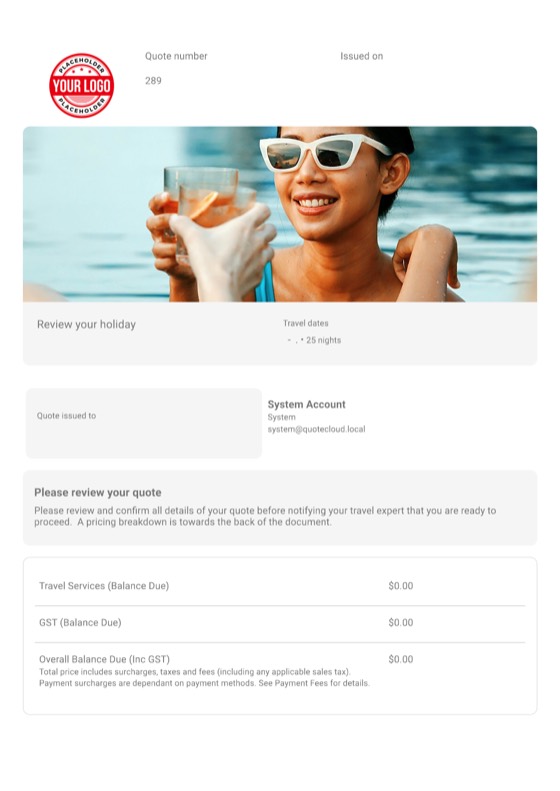
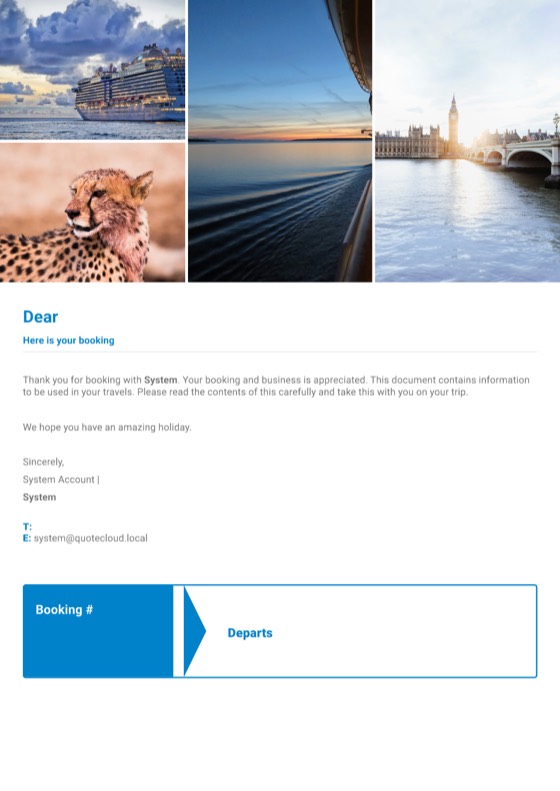

All QuoteCloud templates Templates for travel agencies & tour operators
Every branch, its own code and template
The Tres CCTE fields a team's Travel API Settings ask for, as the user guide lists them, for three fictional teams.
Settings Users & Roles Teams Edit Travel API Settings Tres CCTE
| Team | Itinerary template | CCTE Branch Code | Doc Link API URL | Status |
|---|---|---|---|---|
| Riverside leisureTomás Reyes + 5 consultants | Travel Itinerary Template (Style 1) | SPT-RVS-01 |
https://••••••/doclink | Saved |
| Northgate leisure4 consultants | Travel Itinerary Template (Style 2) | SPT-NGT-02 |
https://••••••/doclink | Saved |
| CorporateAnjali Rao + 3 consultants | Travel Itinerary Template (Style 3) | SPT-CORP-03 |
https://••••••/doclink | Saved |
Each branch, its own code
A team's Travel API Settings hold its Doc Link API URL, CCTE Branch Code and password, so each branch's bookings arrive in that team.
Each team, its own template
Style 1 for one brand, Style 3 for corporate clients, your own design for another: the template is chosen per team.
Head office terms stay put
Lock the booking terms block in every template, so no branch edits them by accident.
Content locking: Business
Sample teams, codes and values; the password field isn't shown. Rolling QuoteCloud out across teams
Send your next itinerary from QuoteCloud
Free for 14 days, no credit card required. The Tres CCTE Itinerary Sync add-on can be tried from its Free Trial button in Addons.
Connect Tres CCTE in five steps
What an admin does once per team, from the QuoteCloud user guide.
Install the add-on
Addons → Tres CCTE Itinerary Sync → Free Trial, then accept the terms.
Choose a template
Travel Itinerary Template (Style 1), 2 or 3, or your own with an Itinerary Placeholder.
Enter the CCTE details
Teams → Edit → Travel API Settings → Tres CCTE: Doc Link API URL, CCTE Branch Code and password.
Save, team by team
Each branch or brand keeps its own code and its own template.
Open, enhance, send
Bookings open with the data mapped; add images, PDFs, videos and the price, then send for signature.
Tres CCTE questions
How does Tres CCTE connect to QuoteCloud?
Through the Tres CCTE Itinerary Sync add-on. An admin installs it from Addons, enters the team's Doc Link API URL, CCTE Branch Code and password in Travel API Settings, and picks an itinerary template. Itineraries exported from Tres CCTE then open in QuoteCloud with the itinerary data mapped automatically.
Which templates can I use?
Any template with an Itinerary Placeholder. QuoteCloud's Tres CCTE page names Travel Itinerary Template (Style 1), (Style 2) and (Style 3), all in the template library, and you can brand them or build your own. Each team picks the template its bookings open in.
Can each branch keep its own settings?
Yes. Travel API Settings are set per team, so each branch can have its own CCTE branch code and its own itinerary template. On the Business plan, content locking keeps the booking terms the same in every template.
What does it cost?
The Travel Itinerary add-on is an opt-in extra on the Essentials, Business and Enterprise plans. Essentials is US$39 per user per month on QuoteCloud's pricing page; the add-on's own price is shown in its panel when you install it, and it has a free trial.
Does QuoteCloud change bookings in Tres CCTE?
No. QuoteCloud uses the itinerary to build the proposal your travellers read, sign and pay a deposit on. Bookings, changes and ticketing stay in Tres CCTE and your GDS, as they do today.
Can other booking systems connect?
Systems without an add-on can push bookings through QuoteCloud's Itinerary Sync API, which takes a BookingCI JSON file with the booking, the passengers and the itinerary segments. Tramada is set up with the QuoteCloud team.
More for travel businesses
Every page of the QuoteCloud travel microsite.
-
Day-by-day itinerary proposalsFlights, stays, transfers and tours as itinerary segments, with photos, guides, attachments and a trip summary in one document.Explore
-
Group, school & sports team travel quotesPer-person prices for 20 to 60 travellers, a parent or member acknowledgement in the Forms block, and every family signing.Explore
-
Corporate travel program proposalsA travel management proposal with your service fees, program terms and an expiry date, approved and signed by the client.Explore
- Cruise & touring proposalsCabin categories as a single choice, shore excursions and pre-cruise stays to tick, for cruise specialists, tour operators and wholesalers.
- AI Co-Worker for travel consultantsTurn an airfare search into itinerary blocks and generate a destination guide, then check and accept every word yourself.
- Sabre GDS itineraries in QuoteCloudThe Sabre GDS Itinerary Sync add-on fills your itinerary template from the booking, ready for your photos, guides and pricing.
- Tramada itineraries in QuoteCloudItineraries created in Tramada opened in QuoteCloud, set up with the QuoteCloud team, then enhanced and sent for signature.
- CRM, accounting & Itinerary Sync APIStripe and PayPal on signing, your CRM and accounts through Zapier, Make or natively on Business, and the Itinerary Sync API.
- Travel deposits & balancesA deposit per traveller paid on signing through Stripe or PayPal, with the balance and its due date written into the proposal.
- Booking terms & travel insurance acknowledgementsLocked booking terms, a travel-insurance choice and acknowledgements in the Forms block, signed by every traveller.
- Travel templatesReal QuoteCloud travel itinerary and proposal templates, Style 1 to 3 and more, ready to brand and connect to your bookings.
- QuoteCloud implementation for travel businessesAdd-on installed, Travel API settings per team, itinerary templates with placeholders, content libraries and your consultants trained.
- FAQAnswers to the questions travel agencies, tour operators, cruise specialists and group organisers ask most.
Your mid-office bookings, as branded itineraries
Free for 14 days. No credit card required.