
Approvals before it's sent, sign-off when it's read
A director reviews fee proposals and reports before the client sees them, and the client accepts the report with a legally binding signature.
- 5/5 on G2
- 4.2 on Capterra
- Building QuoteCloud since 2013
QuoteCloud's approval workflow, on the Business plan, holds a fee proposal or report In Review until named approvers approve it, triggered by the template, total value, discount, team, role or customer. Clients then accept the document online with a legally binding eSignature that carries an audit trail and certificate of authenticity.
Two sample documents from a fictional practice, Fenwick Arden. Behind, the acceptance page of a building condition audit for The Pembroke, revision B: prepared by the senior building surveyor Hana Kowalski, reviewed by the associate Ravi Menon, and accepted and signed online by Daniel Featherstone, chair of the owners' committee, confirming the committee has read the report and approving Priority 1 works and the condenser replacement, with the approved fees of $39,930.00 including tax. In front, the document workflow for a fee proposal: In Review because its total value is over $100,000, approved by the practice manager Tom Achterberg and waiting for the director Clara Whitlow.
A report's life, from draft to accepted
How a practice can run its QA procedure in QuoteCloud. Your procedure decides who checks what; QuoteCloud holds the document until they approve it and records what the client accepted.
-
Draft
Written from your template
The surveyor writes the audit from the condition report template, with the method and limitations already in place.
Report template -
In Review
Held until it's checked
Because it uses the audit template, the report goes In Review when it's ready and can't be sent yet.
Approval workflow Business -
Approved
The associate and director approve
Each named approver reads the whole report and approves or declines it. The log records who did what.
Approval log Business -
Sent
Issued and opened
The building manager gets one link. Tracking shows when the committee opened it and how long they read.
Document tracking -
Accepted
Accepted and signed
The chair accepts the report and the works the committee approved, with a legally binding eSignature.
eSignature
The stages are your practice's procedure. QuoteCloud enforces the approval step on the Business plan and records the rest; nothing is issued until someone sends it.
Every condition report reviewed before issue
Set a rule once: any document made from the condition audit template waits In Review until the associate and a director approve it. Large fee proposals can follow their own rule, such as a total value over $100,000.
Approvers see the whole document and approve or decline it. Until every required approver has approved, it can't be sent.
- Triggers on template, total value, discount percentage, team, role or customer
- Every named approver can be required
- The approval log stays with the document
Approval workflow: Business plan
Approval workflowDocument workflow
In ReviewTriggered when Template is Condition audit report
- Ravi MenonAssociate, building servicesApproved
- Clara WhitlowDirectorWaiting
Must be approved by all approvers before it can be sent.
- Approval request sent by Hana Kowalski
- Approved by Ravi Menon
Approval workflow · Business plan




Accepting a report isn't signing a sale
A report sign-off records something different from a signed proposal. The page shows who prepared and reviewed the report, then what the client confirms: that they received and read it, and which recommended works they approved, with the fees for those works.
The client signs with the same legally binding eSignature. The certificate of authenticity and audit trail show when, and the note says plainly what acceptance is not.
- Prepared, reviewed and accepted, with names and dates
- Statements the client confirms, in your words
- Never presented as a certificate of compliance
eSignatures: every plan
Building condition & compliance auditsReport acceptance
Revision B · issued 14 May- PreparedHana KowalskiSenior building surveyor12 May
- ReviewedRavi MenonAssociate, building services13 May
- AcceptedDaniel FeatherstoneChair, owners' committee28 May
- Report received and read by the committee
- Works approved: Priority 1 and the condenser replacement
Approved fees inc. tax$39,930.00
Daniel Featherstone · Signed online · 28 May, 6:05 pm
Certificate of authenticity and audit trail attached
Accepting the report records that it was received and which works were approved. It is not a certificate of compliance.
Fee proposals signed by every client
A fee proposal is signed as a commitment: both clients sign in their own signature block and the retainer is paid on signing. The same signing view works for a stage sign-off or a sample approval.
Ask for a one-time passcode before signing if you want to confirm who is signing. Signers don't need a QuoteCloud account.
- Several signers on one document
- Sign online or in person on your device
- Certificate of authenticity on every completed document
Payments on signing: Essentials and up
Staged fee proposalsAccept the fee proposal and pay the retainer
2 of 2 signed
- Nadia OkoroClient Signed9 Mar, 7:42 pm
- Sam OkoroClient Signed9 Mar, 7:58 pm
Commencement retainer on signing (10%)
$14,371.50
Paid via StripePay with card or PayPal
Certificate of authenticity and audit trail attached
What can send a document for approval
One rule or several, set up once by an admin. Each holds the document In Review until it's approved.
The template
Every report from the condition audit or plant inspection template is reviewed.
Total value
Fee proposals and tenders over your threshold go to a director.
A discount
A fee discounted beyond a set percentage needs approval.
The author's team
Documents from a graduate or a new studio are checked by a senior.
The author's role
Some roles always need a second signature inside the practice.
The customer
Work for a council or a key client is approved by the director every time.
Put your QA procedure into QuoteCloud
Free for 14 days, no credit card required. Try the approval workflow on the Business trial, and we'll convert one of your report or proposal templates free.
How to set up approvals and client sign-off
Five steps an admin takes once, so every document follows the practice's QA procedure.
Choose what needs review
Decide which templates, values or customers need a reviewer or director.
Create the approval rules
Add a rule for each trigger and name the approvers (Business plan).
Add a sign-off page
Put prepared, reviewed and accepted, the client's statements and a signature block in each report template.
Send when approved
Documents wait In Review until approved, then go out from one link with tracking.
Keep the record
The signed document carries the certificate, audit trail and approval log.
Templates for stage sign-offs and acceptance
Real QuoteCloud templates: a project acceptance form for stage sign-offs, a consulting agreement and a project plan.
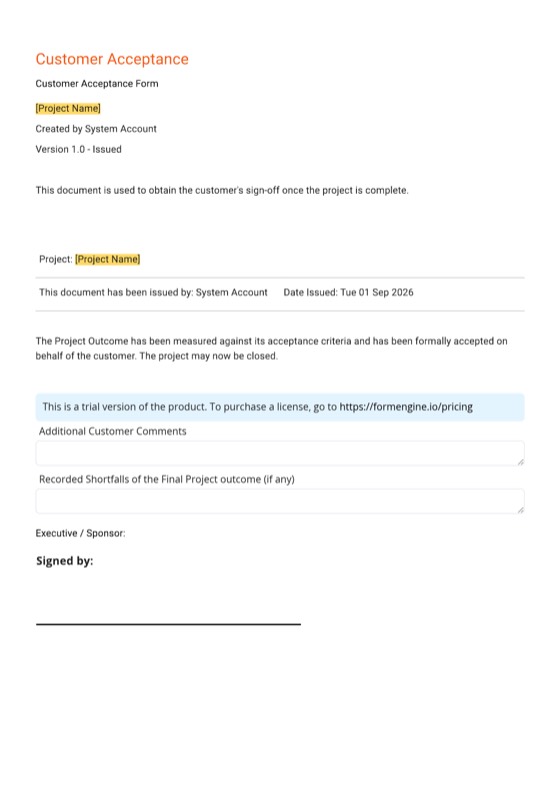
- Sign-off template Project Customer Acceptance Form A project or stage acceptance the client signs online. View template
- Agreement template Technical Services Consulting Agreement Template Scope, rates, timelines and intellectual property terms for engineers and technical consultants. View template
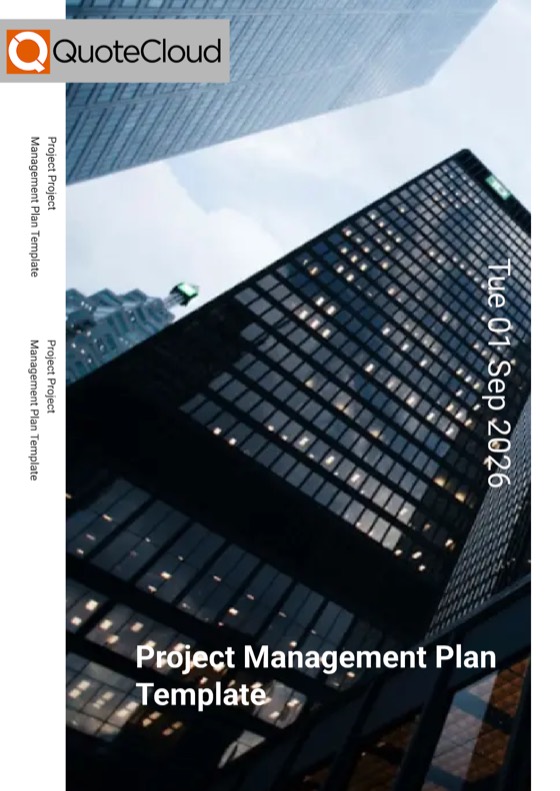
- Plan template Project Management Plan Template Objectives, timelines, deliverables and team responsibilities for a project. View template

All architecture & engineering templates Templates for architects & engineers
Approval and sign-off questions, answered
Can a director approve fee proposals before they are sent?
Yes, on the Business plan. Create an approval rule that triggers on the total value, the template, a discount percentage, the author's team or role, or the customer. The document goes In Review, and every required approver must approve it before it can be sent. Approvers can also decline it.
What does an approver see?
Approvers open the whole document with its In Review status, the rule that triggered the review and the other approvers. They approve or decline it, and the approval log records each step. Until every required approver has approved, the document cannot be sent to the client.
How does a client accept a report?
Add a sign-off section to the report: who prepared and reviewed it, the statements the client confirms and any works they approve. The client signs it online with a legally binding eSignature on any plan. Acceptance records receipt and approval; it is not a certificate of compliance from QuoteCloud.
Is a report sign-off different from signing a proposal?
The eSignature is the same, but the wording is yours. A proposal signature accepts a fee and can take a retainer on signing. A report sign-off confirms that the client received and read the report and which works they approved, so the page should say exactly that.
Can we prove later who approved what, and when?
Yes. The approval log shows who approved the document inside the practice. Every signed document carries a certificate of authenticity and an audit trail with each signer and the signing time, and Document History shows when it was viewed and its status.
Can we confirm who is signing?
Yes. An optional one-time passcode can be sent to the signer before they sign, and the certificate records that the passcode was verified. Signers don't need a QuoteCloud account, and several signers can each have their own signature block on one document.
Do clients get reminders to sign?
Customer reminders for documents that haven't been signed are on the Business plan. Tracking and notifications, from Essentials, show when a document is opened or signed, so your team can follow up with the clients who have read it.
The documents that get approved and signed
Reports, fee proposals and schedules that go through review and come back signed.
-
Building condition & compliance audit reportsRatings, marked-up photos, findings and priced recommended works in one report the client accepts and signs.Explore
-
Staged fee proposalsFees by work stage, as a percentage of construction cost, fixed or hourly, with additional services the client ticks.Explore
-
Specifications & product schedulesFinishes and product schedules with codes, images and locations, and sample approvals the client signs.Explore
- Tender responses & capability statementsMethodology, team, insurances and a fee schedule from your library, approved before it goes out, exported as a PDF.
- Engagement letters & fee variationsClient agreements with locked terms, and additional-services letters signed before the extra work starts.
- Equipment, plant & asset inspection reportsMechanical, fire and electrical asset lists with condition scores, remaining life and a maintenance schedule.
- Site inspection, defect & status reportsSite visit and defect reports with marked-up photos, and project status reports with the programme and next steps.
- Design reports & option studiesOptions side by side with images, plans, comparison tables and a fee for each, and the client's choice signed.
- From recommended works to signed worksTurn an audit's recommendations into priced options the client ticks and signs inside the report.
- Practice templates, clauses & specification libraryBranded templates for every office, standard clauses and specifications in a locked library, and roles.
- CRM, accounting & project tool integrationsOpportunities from your CRM, fees to Xero or QuickBooks, and appointed projects to your project tools.
- Architecture & engineering templatesReal QuoteCloud templates for architecture, interior design, engineering and building services work.
- QuoteCloud implementation for practicesTemplates converted, fee scales and clauses loaded, roles, approvals and training for every studio.
- FAQAnswers to the questions architects, engineers and specifiers ask most.
Checked before it's sent, signed when it's read
Free for 14 days. No credit card required.
See pricingArchitecture & engineering templatesAll industries