
Inspection & test reports for fire and security systems
Each site's routine inspection as one branded report: results by system, every defect with its device and location, marked-up photos, and the building manager's acknowledgement.
- 5/5 on G2
- 4.2 on Capterra
- Building QuoteCloud since 2013
QuoteCloud turns a fire or security contractor's inspection results into a branded test report: results by system, a defect list, marked-up photos and notes, signed by your technician and acknowledged by the building manager online. Your technicians test and certify; QuoteCloud presents the report, tracks opens and keeps the signed copy.
Last reviewed by the QuoteCloud team
An engineered drawing of Calder House, a fictional six-level office building with a basement car park, exploded level by level. Each level shows a few ceiling devices and the technician's inspection route, joined level to level beside the core. Four failed devices are ringed: smoke detector SD-L3-07 on Level 3, emergency light EL-S2-04 in Stair 2 on Level 4 (shown enlarged: its battery lasted 52 minutes of the 90-minute test), extinguisher FE-L2-03 on Level 2 and dome camera CAM-B1-06 in the basement. Beside it the inspection and test report HF-TR-2611 from the fictional contractor Harrowfield Fire & Security turns its pages: the cover (186 devices, 5 systems, 4 defects), the results by system, the four defects with their severity, and the sign-off: signed by the technician Adaeze Nwosu and acknowledged by the building manager Simone Achebe, with a certificate of authenticity.
One inspection, one report, read part by part
Harrowfield's six-monthly report for Calder House, as the building manager opens it. Each part says where it comes from and who acts on it.
-
Your template
Your template, your branding
Each system type gets its own report template: the cover, the scope wording and the sign-off are set up once, so every site's report looks like yours, not like an app export.
Templates: every paid plan
Harrowfield Fire & SecurityInspection & test report HF-TR-2611 Sample · fictional businessInspection & test report
Six-monthly inspection & test report, Calder House
The results of Harrowfield's six-monthly inspection and test of the fire and security systems at Calder House, 14 Harbour Road, Riverside, against the standard that applies to the site. Defects are listed with their location and quoted separately for your approval.
-
From the inspection app
Results by system
Tested, passed and defects for each system, from the results Adaeze recorded in your inspection app. Your assistant, the API or Zapier can fill them; nobody retypes a count.
Results by system 186 devices inspected and tested on Tue 14 Oct 2026
System Result Tested Passed Defects Fire detection & alarm 86 85 1 Emergency & exit lighting 34 33 1 Extinguishers & hose reels 22 21 1 CCTV cameras 18 17 1 Access control & intruder alarm 26 26 Pass All systems 186 182 4 Results recorded on site by Adaeze Nwosu in Harrowfield's inspection app. Harrowfield's licensed technicians test and certify; QuoteCloud presents the report.
-
Technician's findings
Every defect, with its device and location
Device id, location, finding and your own severity, so the building manager can see what failed and where. Each defect is priced separately in the defect quote.
Defects found 4 found
-
SD-L3-07Smoke detector · Level 3, open officeNo response to test smoke Critical -
EL-S2-04Emergency light · Stair 2, Level 4Battery failed the 90-min discharge at 52 min Critical -
FE-L2-03Extinguisher, 4.5 kg · Level 2 corridorGauge in the red, past its service date Critical -
CAM-B1-06Dome camera · Basement car parkHousing cracked, image blurred Non-critical
Quoted for approval in HF-DQ-2611
-
-
Technician marks up
Photos marked up on site
A photo from the inspection with numbered marks, made in QuoteCloud's image editor, so a cracked housing or a missing seal is obvious without a site visit.
Image editor: Starter and up
Photo from the inspection, marked up
- 1 Bracket and housing to replace
- 2 Cable entry resealed
-
Building manager asks
Notes and questions in the document
Your notes from the visit, and Simone's question about the tenant's fit-out answered in the comment thread, so the context stays with the report.
Notes from the inspection
- Level 3 was occupied during testing; the tenant was told before each detector test.
- The basement camera fault has been raised with your car park operator as well.
- All defects are quoted separately in HF-DQ-2611 so you can approve them line by line.
Simone AchebeCan the Level 3 detector be done before the tenant's fit-out starts on the 28th?
Freya LindqvistYes: approve that line and we'll book it for next week.
-
Building manager signs
Signed by your technician, acknowledged by the client
Adaeze signs the report and Simone acknowledges it online, no account needed. The signed copy keeps its certificate of authenticity and audit trail.
Report acknowledged
2 of 2 signed
- Adaeze NwosuLead inspection technician SignedWed 15 Oct 2026
- Simone AchebeBuilding manager, acknowledges SignedThu 16 Oct 2026
Report summary
- Devices tested
- 186
- Defects
- 4, quoted in HF-DQ-2611
- Next inspection
- April 2027
Certificate of authenticity and audit trail attached


Site details captured on site, inside the report
A Forms block in the report template collects what every visit needs: the systems in scope, whether the building was occupied, when the panel went back to normal, and the next inspection date. Adaeze fills it on her tablet, and the answers become part of the report.
Photos from the visit sit in a gallery block beside the findings, so the building manager sees the same thing your technician saw.
- Forms block: a form inside the document
- Gallery of photos from the visit
- One template per system type
Forms block: Essentials and up
Forms in documentsSite details Forms block · completed by Adaeze on site
Submitted on site · Forms block
Photos from the inspection
SD-L3-07, Level 3: no response to test smoke Stair 2 exit and emergency lighting, Level 4 FE-L2-03, Level 2 corridor: gauge in the red


What goes into a test report
Built from QuoteCloud's content blocks, set up once in your template.
Results by system
Tested, passed and defects per system, from your inspection results.
Defect list
Device, location, finding and your severity for each defect.
Marked-up photos
Numbered marks on site photos, made in the image editor.
Site details form
Scope, occupancy and next inspection date, in a Forms block.
Locked wording
Your scope and limitation wording as a locked block (Business).
Comments
The building manager's questions answered in the document.
Two signatures
Your technician signs; the client acknowledges, no account needed.
Tracking
See when the report is opened and acknowledged.
Send your next test report from QuoteCloud
Free for 14 days, no credit card required. Send us your current report and quote and we'll convert one template for you during the trial.
Know the report was read, not just sent
QuoteCloud tracks when the building manager opens the report and when it's acknowledged, so the office isn't left asking whether anyone saw the critical defects.
Comments and actions on the document can alert your team in Slack or Microsoft Teams, and the signed report keeps its certificate of authenticity and audit trail.
- Opened, read and acknowledged
- Slack or Teams alerts for document updates, comments and actions
- Signed copy with audit trail
Activity
- Results imported186 devices from the inspection app
- Draft reviewedFreya Lindqvist accepted the report
- Opened by Simone AchebeRead the defects section twice
- AcknowledgedCertificate of authenticity attached
From the site visit to an acknowledged report
The same five steps for every routine inspection.
Inspect
Your technician tests each device and records the results in your inspection app, as today.
Create the report
Your AI assistant, the API or Zapier creates the report from your template and fills the results.
Review
Your service manager checks the results, the defects and the photos, and edits anything.
Sign and send
The technician signs, and the report goes to the building manager.
Acknowledged
The building manager reads and acknowledges it online; the defects go to the defect quote.
Templates to start your report from
There's no ready-made inspection report in the library yet: these real templates give you the layout, and your results, defect and sign-off blocks go in.
- Proposal template Electrical Services Template Installation, repair and inspection proposals with the scope and rates laid out; add your own report blocks. View template
- Agreement template Service Delivery Agreement Template Scope, timelines, pricing and responsibilities for scheduled inspection and servicing. View template
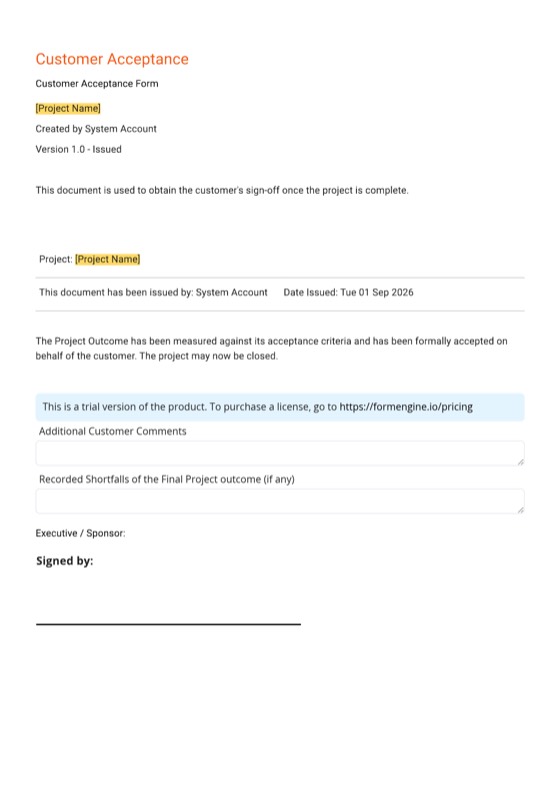
- Sign-off template Project Customer Acceptance Form A handover and acceptance form signed when an installation is commissioned. View template
- Quote template Electrical Services Quote Itemised quotes for installation and repair work: a start for defect rectification and small install quotes. View template
All QuoteCloud templates Templates for security & fire systems
Test report questions
Does QuoteCloud certify our inspections?
No. Your licensed technicians inspect, test and certify under the standard that applies to the site. QuoteCloud presents your results as a branded report, tracks when it's opened, collects the building manager's acknowledgement and keeps the signed copy with a certificate of authenticity and audit trail.
Can the results come straight from our inspection app?
Yes, if your app can share them. An AI assistant connected through QuoteCloud's MCP service can be set up to create the report from your template with the results filled, as a draft. Your app or job system can also create the report through the QuoteCloud API, Zapier or Make, all on Essentials and up.
Can the technician and the building manager both sign?
Yes. A document can have several signers, and none of them needs a QuoteCloud account. The technician signs the report and the building manager acknowledges it online, and the signed copy carries a certificate of authenticity.
Can we add photos from the inspection?
Yes. Add site photos in a gallery block, and mark them up with numbered labels in QuoteCloud's image editor, available from the Starter plan. The building manager sees the marked-up photo beside the defect it shows.
Can we capture site details in the report?
Yes. The Forms block puts a form inside the document, on Essentials and up. Use it for the systems in scope, occupancy during testing, when the panel was returned to normal and the next inspection date.
Will we know if the building manager read the report?
Yes. QuoteCloud tracks when a document is opened and signed, and comments and actions can alert your team in Slack or Microsoft Teams. You can see whether the building manager opened the report and when they acknowledged it.
Everything a security & fire business sends
From the test report to the defect quote, the annual statement and the next agreement.
-
Defect rectification quotesEvery defect from the inspection as a priced line the building manager ticks to approve, then signs.Explore
-
Inspection results to report and quote with MCPAn AI assistant connected through QuoteCloud's MCP service drafts the report and the defect quote from your inspection app's results.Explore
-
Annual statements for building ownersYour own year-end summary of every visit, defect and fix at a site, sent for the owner to acknowledge.Explore
- CCTV, alarm, access & fire detection proposalsNew systems proposed zone by zone: equipment, cabling, installation and options the client chooses, with a deposit on signing.
- Device count calculators that price the proposalCameras, sensors, readers and detectors counted per zone in a spreadsheet whose cells set the equipment and cabling lines.
- Monitoring & service agreementsMonitoring tiers and scheduled servicing as repeating charges in the agreement, with an expiry date and a renewal you send.
- Multi-site & property portfolio quotesOne service agreement per building for a property manager's portfolio, bulk-sent and tracked to signature.
- Building manager sign-off, approvals & depositsApproval rules before big quotes go out, several signers on the client side, and a deposit on signing for new installs.
- Inspection apps, job systems & accountingYour inspection app, job system, CRM and accounts, connected the way each one really connects: MCP, the API, Zapier, Make or natively.
- Security & fire templatesReal QuoteCloud templates to start your test reports, defect quotes, installation proposals and service agreements from.
- QuoteCloud implementation for security & fire contractorsYour report and quote templates, defect price book, device calculator and assistant connection set up, and your team trained.
- FAQAnswers to the questions fire services, CCTV, alarm and access control contractors ask most.
Your next inspection, reported in one document
Free for 14 days. No credit card required.