
MSP pricing per user and per device, in one agreement
Support tiers per user, endpoints and servers per unit, Microsoft 365 per seat and onboarding once-off, on the term the client chooses.
- 5/5 on G2
- 4.2 on Capterra
- Building QuoteCloud since 2013
In QuoteCloud a managed services agreement is an interactive price table: repeating rows priced per user, per device, per server or per site, with Term and Monthly columns beside once-off onboarding. Offer your tiers as a single choice, let clients change user counts and the term, and the monthly, once-off and contract totals recalculate.
A sample managed services agreement from a fictional MSP, Quillfield IT, for Thornbury & Webb. The client's estate is counted first: 42 users, 51 laptops and desktops, 2 servers, 2 offices, 42 Microsoft 365 seats and 51 devices with managed detection and response. Each count becomes a monthly price line: Managed IT Standard 42 × $85, device management 51 × $9, managed servers 2 × $145, managed firewall and switching 2 × $120, Microsoft 365 Business Premium 42 × $37, Microsoft 365 backup 42 × $5 and MDR 51 × $12. The agreement comes to $6,935 a month ex tax, $6,240 once-off and $255,900 over 36 months.
One agreement, priced the way MSPs price
Thornbury & Webb's managed services agreement, part by part. Pick a tier or change a count in one tab and every total in the tour follows.
Tiers as one choice, priced per user
Essentials, Standard and Complete side by side with what each includes. The tier the client picks sets the name and rate of the per-user line in the price table.
Price tables: Essentials and up
Support tiers & service levelsChoose your support tier Per user, per month
| Helpdesk hours | 8am–6pm weekdays | 8am–6pm weekdays | 24/7 for critical issues |
|---|---|---|---|
| Remote support | Included | Included | Included |
| On-site support | Billed hourly | Included | Included |
| Patching & monitoring | Included | Included | Included |
| Microsoft 365 administration | Included | Included | Included |
| Quarterly business review | Not included | Included | Included |
| IT roadmap (vCIO) | Not included | Not included | Included |
Per user, per device, per server, per office
Each unit is its own repeating row from your price book, beside the once-off onboarding. Quantity editing on users and devices lets the client correct a count, and the term switch shows the value over 12, 24 or 36 months.
Repeating price items, quantity and term editing: Essentials and up
Renewals, true-ups & seat changesYour services, per user and per device
| Item | Qty | Monthly | Once-off |
|---|---|---|---|
| Managed IT, per user | $3,570 | — | |
Managed IT · StandardMS-STD-U · Per user · change the tier above
|
$3,570 | — | |
| Devices, servers & sites | $989 | — | |
Device managementEP-MGD-D · Laptops and desktops · patching and remote access
|
$459 | — | |
Managed serverSRV-MGD · Monitoring, patching, backup checks
|
2 | $290 | — |
Managed firewall & switchingNET-MGD · Per office
|
2 | $240 | — |
| Microsoft 365 & backup | $1,764 | — | |
Microsoft 365 Business PremiumM365-BP · Per user · annual commitment, billed monthly
|
42 | $1,554 | — |
Microsoft 365 backupBKP-365 · Mail, OneDrive, SharePoint and Teams
|
42 | $210 | — |
| Onboarding, once-off | — | $6,240 | |
Onboarding & documentationONB-STD · Audit, documentation, agent rollout
|
1 | — | $4,200 |
Device enrolmentENR-DEV · Each laptop and desktop
|
51 | — | $2,040 |
| Security options Tick to add | |||
| 51 | $612 | — | |
| 42 | $168 | — | |
| 1 | $390 | — | |
- Monthly recurring
- $6,935/mo
- Once-off
- $6,240
- Total contract value over 36 months
- $255,900
- Onboarding paid on signing (50% of once-off)
- $3,120
All prices excluding tax. Monthly charges apply for the contract term and are invoiced by Quillfield IT.
The same table, as your team sees it
Cost per unit and margin on every line, and the margin on the whole deal, in columns hidden from the client. Change the tier or the counts in the other tabs and the margin follows.
Hidden cost and margin columns: Essentials and up
Approvals, discounts & margin controlYour services, per user and per device
Your team's view: cost and margin columns are hidden from the customer
| Item | Qty | Monthly | Once-off | Cost /mo | Margin |
|---|---|---|---|---|---|
| Managed IT, per user | $3,570 | — | |||
Managed IT · StandardMS-STD-U · Per user · change the tier above
|
$3,570 | — | $2,058 | 42% | |
| Devices, servers & sites | $989 | — | |||
Device managementEP-MGD-D · Laptops and desktops · patching and remote access
|
$459 | — | $229 | 50% | |
Managed serverSRV-MGD · Monitoring, patching, backup checks
|
2 | $290 | — | $140 | 52% |
Managed firewall & switchingNET-MGD · Per office
|
2 | $240 | — | $110 | 54% |
| Microsoft 365 & backup | $1,764 | — | |||
Microsoft 365 Business PremiumM365-BP · Per user · annual commitment, billed monthly
|
42 | $1,554 | — | $1,386 | 11% |
Microsoft 365 backupBKP-365 · Mail, OneDrive, SharePoint and Teams
|
42 | $210 | — | $100 | 52% |
| Onboarding, once-off | — | $6,240 | |||
Onboarding & documentationONB-STD · Audit, documentation, agent rollout
|
1 | — | $4,200 | — | — |
Device enrolmentENR-DEV · Each laptop and desktop
|
51 | — | $2,040 | — | — |
| Security options Tick to add | |||||
| 51 | $612 | — | $357 | 42% | |
| 42 | $168 | — | $67 | 60% | |
| 1 | $390 | — | $180 | 54% | |
- Monthly recurring
- $6,935/mo
- Once-off
- $6,240
- Total contract value over 36 months
- $255,900
- Deal margin hidden from customer
- 37.0%
All prices excluding tax. Monthly charges apply for the contract term and are invoiced by Quillfield IT.
Both partners sign, onboarding is paid
Each signer signs in their own browser with no account. The onboarding share is paid by card on signing; the monthly fees are invoiced by you, from your own billing system.
Payments: Essentials and up · eSignatures: every plan
PSA, CRM & accounting integrationsAccept the agreement and pay onboarding
2 of 2 signed
- Rebecca WebbPractice manager, Thornbury & Webb Signed4 Dec, 3:52 pm
- Martin ThornburyManaging partner, Thornbury & Webb Signed4 Dec, 5:10 pm
Onboarding paid on signing (50% of once-off)
$3,120
Paid via StripePay with card or PayPal
Certificate of authenticity and audit trail attached
Activity
- Agreement openedRebecca Webb · Thornbury & Webb
- Standard tier + MDR+$612.00/mo
- Signed by both partnersCertificate of authenticity attached
- Onboarding paid$3,120.00 via Stripe
- Deal updated in your CRMNative on Business, or Zapier
Five MSP pricing models, one price table
Most MSPs mix them. Here is how each looks as a line in the agreement, when it fits, and the QuoteCloud setting that carries it.
-
Per user
Support for each person with a loginIn the agreementManaged IT · Standard 42 users × $85$3,570/moFits whenOffice clients where every person gets the same support whatever device they use. Flat-rate, all-you-can-eat support is usually priced this way.
In QuoteCloudA repeating row with quantity editing, so the client corrects the headcount on the page.
-
Per device
Each laptop, desktop or shared PCIn the agreementDevice management 51 devices × $9$459/moFits whenShared reception and boardroom PCs, or fleets where devices outnumber people. Often alongside per-user support.
In QuoteCloudIts own repeating row at a per-device rate, with quantity editing switched on.
-
Per server or site
Infrastructure that doesn't grow with headcountIn the agreementManaged firewall & switching 2 offices × $120$240/moFits whenServers, firewalls and each office's network: priced by the unit, whatever the number of staff.
In QuoteCloudOne row per unit type in its own section, with a subtotal for devices, servers and sites.
-
Tiered bundle
Good, better, best per userIn the agreementChoose a support tier Essentials $65Standard $85Complete $119 42 users × $85$3,570/moFits whenWhen you want clients to choose a level of service rather than negotiate line by line.
In QuoteCloudA plan comparison as a single-choice group. The chosen tier updates the per-user row and every total.Single-choice groups: Essentials and up
-
À la carte
Add-ons the client may wantIn the agreementSecurity awareness training 42 users × $4$168/moFits whenSecurity, after-hours support or backup that some clients take and others don't.
In QuoteCloudOptional rows the client ticks. The monthly total and contract value follow each tick.
QuoteCloud doesn't apply tiered or volume discounts by rule: every tier and per-unit rate is a price you set in your price book.
From the pricing spreadsheet to one agreement
What changes for the account managers who price new clients, and for the partners reading the numbers.
Price your next MSP agreement per user and device
Free for 14 days, no credit card required. Send us your rate card and agreement, and we'll convert one template for you during the trial.

Sample agreement · QF-4108
The whole term, before anyone signs
Standard for 42 users, 51 devices, two servers, two offices, Microsoft 365 and MDR: $6,935 a month plus $6,240 onboarding, shown as the value of the agreement over the 36 months the partners chose.
Renewals, true-ups & seat changesEvery rate from one price book
Your tiers, per-device and per-server rates, Microsoft 365 seats and onboarding live in the product catalogue with a SKU, category, price, cost and billing term. Reps add lines from it, so every agreement uses the same rates.
When your rate card or a distributor's prices change, import them by CSV with column mapping. For plan-based selling, the optional Contract Plans add-on keeps a plan's term, start and expiry dates and its products together.
- SKU, category, price and cost, with profit and margin calculated
- Recurring products with a billing term and a duration in months
- Active, Draft and Inactive statuses for products you're adding or retiring
Product catalogue: Essentials and up · Contract Plans: optional add-on
Microsoft 365, licensing & hardware resaleCSV import distributor-price-list-november.csv · 212 products updated, 6 marked inactive
| Product | Price | Billing | Cost | Margin | Status |
|---|---|---|---|---|---|
| Managed IT · StandardMS-STD-U · Managed services | $85 | Monthly · 36 mo | $49 | 42% | Active |
| Device managementEP-MGD-D · Managed services | $9 | Monthly · 36 mo | $4 | 50% | Active |
| Managed detection & responseMDR-247 · Security | $12 | Monthly · 36 mo | $7 | 42% | Active |
| Microsoft 365 Business PremiumM365-BP · Licences | $37 | Monthly · 12 mo | $33 | 11% | Active |
| Microsoft 365 Business StandardM365-BS · Licences | $21 | Monthly · 12 mo | $18 | 11% | Active |
| Business laptop, 14-inchHW-LAP14 · Hardware | $1,690 | Once-off | $1,420 | 16% | Active |
| Business laptop, 14-inch (previous model)HW-LAP14-G2 · Hardware | $1,540 | Once-off | $1,310 | 15% | Inactive |
Cost and margin are for your team only: they never appear in the client's document
Price an agreement per user and device in five steps
Set up once in your implementation, then every account manager quotes the same way.
Load your price book
Import tiers, per-unit rates, Microsoft 365 and onboarding by CSV, each with its SKU, cost and billing term.
Build the agreement once
Tiers as a single choice, a per-user row, device, server and office rows, onboarding once-off and security options.
Count the client
Enter users, devices, servers and offices from the discovery call, and allow quantity editing where the client knows better.
Offer the term
Switch on term editing for 12, 24 and 36 months so the client sees the value of each.
Signed, onboarding paid
Every signer signs online and the onboarding share is paid on signing through Stripe or PayPal.
Start from a managed services template
Real QuoteCloud templates to make your own: add your tiers, rates and terms, or send us your current agreement to convert.
- Proposal template IT Services Proposal A detailed quote for managed IT solutions. View template
- Contract template Computer Service Contract Clients choose services, sign electronically and confirm the agreement. View template
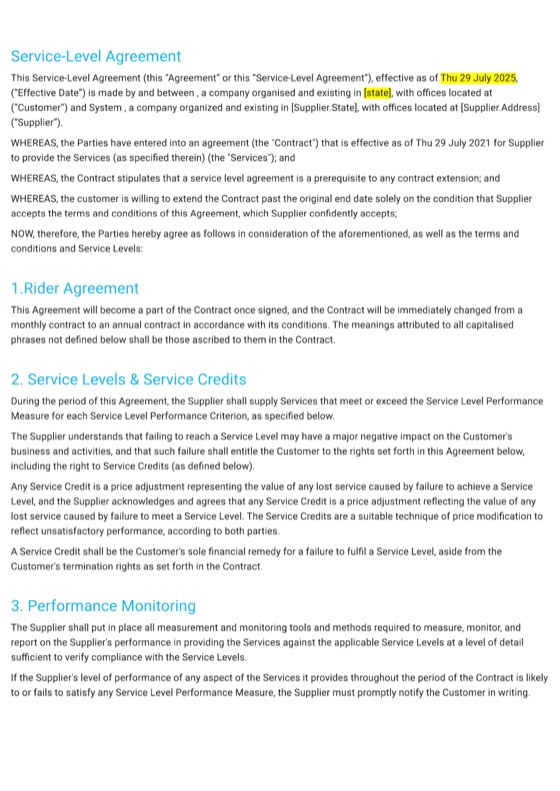
- Agreement template Service-Level Agreement Response times, support obligations and service targets for IT providers and managed service agreements. View template

Per-user and per-device pricing questions
How do MSPs price per user and per device in QuoteCloud?
Put each unit on its own repeating row in a price table: the support tier per user, device management per device, servers and offices per unit, and Microsoft 365 per seat, each with Term and Monthly columns. Onboarding sits beside them as a one-off row. The monthly, once-off and whole-term totals are calculated for you. Price tables are on Essentials and above.
Can clients change the number of users or the contract term?
Yes, where you allow it. Enable Quantity Editing on the lines the client may change, such as users and devices, and Enable Term Editing for 12, 24 or 36 months. The monthly, once-off and total contract value recalculate on the page, and the signed agreement records the client's final choices.
Can I offer good, better and best support tiers?
Yes. Show your tiers as a single-choice group in the agreement, with what each one includes. The tier the client picks sets the name and price of the per-user line and every total. Each tier's price is one you set: QuoteCloud does not apply volume or tiered discounts by rule.
Does QuoteCloud bill the monthly managed services fee?
No. QuoteCloud prices the agreement, collects the signatures and can take a payment on signing, such as onboarding, through Stripe or PayPal. The monthly charges are invoiced from your PSA, billing or accounting system. Signed agreements can reach those tools through native integrations on Business or through Zapier from Essentials.
Can device counts come straight from my RMM?
No. There is no native RMM or PSA integration, so your team enters the user, device and server counts in the agreement from the discovery call or your own reports. Where you switch on quantity editing, the client can correct a count before signing, and the totals follow.
Is there a managed services agreement template?
Yes. The IT Services Proposal, Computer Service Contract and Service-Level Agreement templates are a starting point. On Essentials, Business and Enterprise trials, QuoteCloud also converts one of your existing templates for free, so your own agreement and rate card can be in place from the first quote.
More for IT service providers
Every page of the QuoteCloud IT services microsite.
-
Support tiers & service levelsEssentials, Standard and Complete side by side, response targets by priority, and your SLA wording locked.Explore
-
Microsoft 365, licensing & hardware resaleLicences as monthly rows, laptops and network gear outright, with your cost and margin hidden from the client.Explore
-
Project statements of workMigrations, network refreshes and cloud projects priced by milestone, with a Gantt plan and sign-off at each stage.Explore
- Break-fix to managed servicesTurn a year of call-out invoices into one proposal for a predictable monthly fee per person.
- Security & compliance assessmentsAssessment proposals with fixed scope, optional tests and a remediation plan the partners choose from.
- QBR proposals & upsellQuarterly reviews that end in priced recommendations the client can choose and sign in the same document.
- Renewals, true-ups & seat changesSee agreements nearing expiry, send the next term early, and add users and devices by signed variation.
- Approvals, discounts & margin controlBig agreements and deep discounts go In Review before they're sent; cost and margin stay with your team.
- PSA, CRM & accounting integrationsSigned agreements into your CRM and accounting software, and to your PSA or service desk through Zapier or the API.
- IT services templatesReal QuoteCloud templates for managed services, SLAs, security, network projects and break-fix work.
- QuoteCloud implementation for MSPsYour agreement template converted, price book imported, SLA wording locked, approvals, integrations and training.
- FAQAnswers to the questions MSPs and IT service companies ask most.
Price your next agreement per user and device
Free for 14 days. No credit card required.