
Support tiers and SLAs your clients can compare
Essentials, Standard and Complete side by side, response targets by priority, and your service-level wording locked in every agreement.
- 5/5 on G2
- 4.2 on Capterra
- Building QuoteCloud since 2013
In QuoteCloud an MSP shows its support tiers as a single-choice group priced per user, with a service-level schedule beside it: helpdesk hours and response targets by priority for each tier, the chosen one highlighted. Save the schedule in the content library and lock it on the Business plan so every agreement uses the approved wording.
The service-level schedule in a sample managed services agreement from a fictional MSP, Quillfield IT, shown as a grid of priorities by support tier and saved as a locked block. Essentials ($65 per user a month) covers 8am to 6pm weekdays with response targets of 2 hours for P1, 4 hours for P2 and next business day for P3. Standard ($85) has the same hours with 1 hour, 2 hours and 8 business hours. Complete ($119) adds 24/7 cover for P1 with 30 minutes, 1 hour and 4 business hours. Standard is chosen for 42 users, $3,570 a month plus tax; the client then looks at Complete and Essentials in turn.
Three tiers, one schedule of service levels
The tiers are a single choice priced per user, and Schedule 2 sets out every tier's hours and response targets side by side. Pick a tier in this sample and the schedule highlights it; the signed agreement records the client's choice.
Choose your support tier
Schedule 2 · Service levels By support tier
| Essentials | StandardChosen | Complete | |
|---|---|---|---|
| Helpdesk hours | 8am–6pm weekdays | 8am–6pm weekdays | 24/7 for P1 |
| P1 · business stopped | 2 hours | 1 hour | 30 minutes |
| P2 · a team affected | 4 hours | 2 hours | 1 hour |
| P3 · one person affected | Next business day | 8 business hours | 4 business hours |
| On-site visits | Billed hourly | Included | Included |
| Quarterly business review | Not included | Included | Included |
| IT roadmap and budget (vCIO) | Not included | Not included | Included |
Response targets are Quillfield's own wording, saved as a locked block. QuoteCloud sends and signs the agreement; it doesn't measure the service.
Approved SLA wording in every agreement
Service delivery writes each tier's service levels once. They are saved in the content library, locked, and dropped into each agreement, so reps choose the tier and never rewrite a response time.
- Service levels · EssentialsSchedule 2 wording Locked
- Service levels · StandardSchedule 2 wording Locked
- Service levels · CompleteSchedule 2 wording Locked
- Priority definitionsP1 to P3, with examples Locked
- ExclusionsWhat support doesn't cover Locked
- About Quillfield ITCompany profile with photos
- 1CoverThornbury & Webb · 36 months
- 2About us From library
- 3Your support tierSingle choice, per user
- 4Services and pricingPrice table from the price book
- 5Priority definitions Locked block
- 6Schedule 2 · Service levels Locked block
- 7Exclusions Locked block
- 8Agreement termsEnds 31 Dec 2029
- 9SignaturesBoth partners sign
Write it once
Save each tier's service levels, the priority definitions and the exclusions as company content that every account manager reuses.
Content library: Essentials and up
Lock what must not change
Locked blocks can be used in any agreement but not edited; only admins or permitted roles unlock them.
Content locking: Business
Keep delivery notes internal
Hide from Recipient keeps onboarding and escalation notes in the agreement for your team, out of the client's view.
What your service-level schedule should define
Most SLA disputes start with a word nobody defined. Agree these in the schedule, in your own wording, before the client signs.
Priorities
What makes an issue P1, P2 or P3, with examples a practice manager recognises: the whole office down, one team affected, one person.
Hours of cover
Helpdesk hours for each tier, public holidays, and whether any priority is covered around the clock.
Response or resolution
Say whether each target is a response time or a fix time. Most MSPs commit to response and describe resolution as best effort.
On-site support
Which tiers include visits to each office, and how visits are charged where they aren't included.
Exclusions
Projects, new hardware, third-party software and user-caused damage: what's quoted separately, each with its own statement of work.
Reviews
Quarterly reviews and an IT roadmap in the tiers that include them, and how service is reported to the partners.
Put your tiers and SLA wording into one template
Free for 14 days, no credit card required. Send us your current agreement and service-level schedule, and we'll convert one template during the trial.

Sample agreement · QF-4108
Signed against the wording you approved
Thornbury & Webb chose Standard: a one-hour target for P1 issues, on-site support and a quarterly review, from a locked schedule. QuoteCloud sends and records the agreement; measuring the service stays with your service desk.
Accept the support tier and service levels
Rebecca Webb · Practice manager, Thornbury & Webb
Signed online · 4 Dec, 3:52 pm
What was agreed
- Support tier
- Standard
- P1 response target
- 1 hour
- Service levels
- Schedule 2 · locked
- Users
- 42 at $85 + tax
Certificate of authenticity and audit trail attached
Set up tiers and service levels once
Part of your implementation, done with service delivery, so every agreement from then on uses the approved wording.
Write each tier's levels
Hours, response targets by priority, on-site and reviews, agreed with your service delivery manager.
Save them as company content
One block per tier, plus priority definitions and exclusions, in the content library.
Lock the blocks
On Business, locked blocks can be used in any agreement but not edited by reps.
Add the tier choice
Put the tiers in your agreement template as a single-choice group priced per user.
Reps choose, clients sign
Account managers pick the client's tier; the client compares, chooses and signs online.
SLA and agreement templates
Real QuoteCloud templates for service levels and managed services contracts, ready to take your tiers and wording.
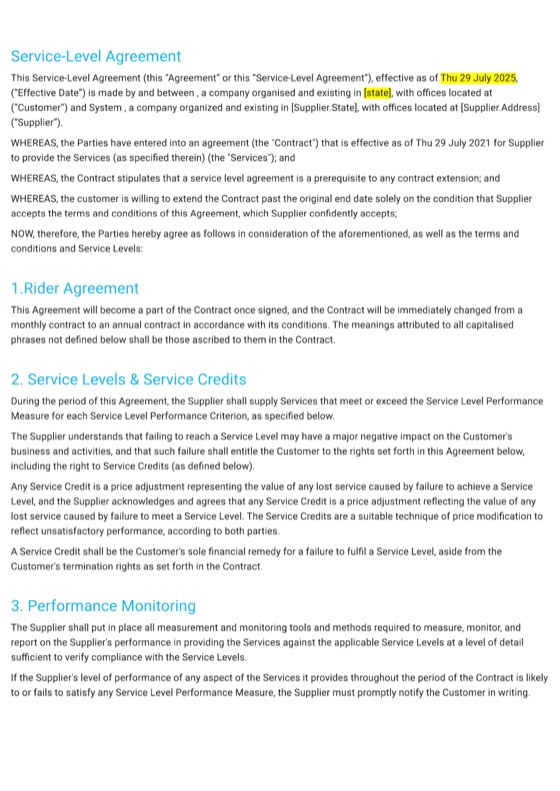
- Agreement template Service-Level Agreement Response times, support obligations and service targets for IT providers and managed service agreements. View template
- Contract template Computer Service Contract Clients choose services, sign electronically and confirm the agreement. View template
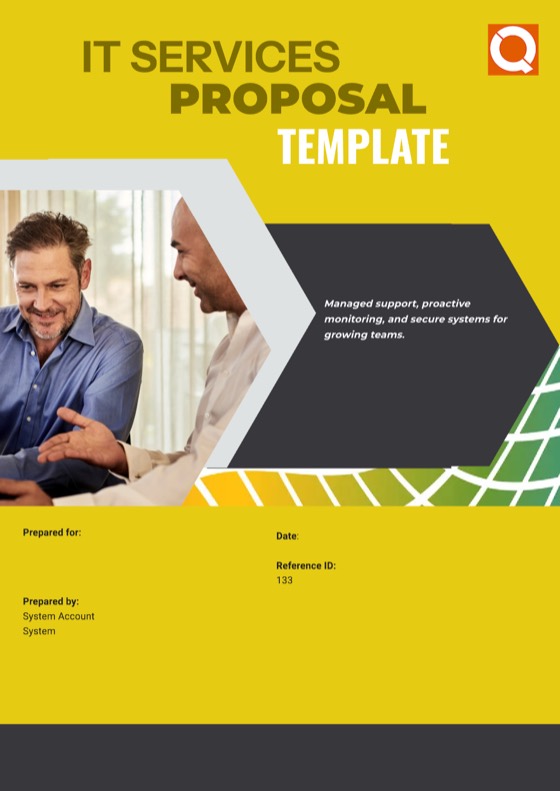
- Proposal template IT Services Proposal A detailed quote for managed IT solutions. View template

Support tier and SLA questions
How do I show MSP support tiers in an agreement?
Add your tiers to the agreement as a single-choice group priced per user, with what each includes, so the client picks one. Put a service-level schedule beside it with each tier's hours, response targets by priority, on-site support and reviews side by side. Price tables and single-choice groups are on Essentials and above.
Can I stop reps rewriting the SLA wording?
Yes, on the Business plan. Save each tier's service levels as a company block in the content library and lock it. Locked blocks can be added to any agreement but not edited, and only admins or roles you permit can unlock them. Reps choose the tier; the wording stays as approved.
Does QuoteCloud track response times or SLA breaches?
No. QuoteCloud holds, sends and gets the agreement signed, including your service-level schedule. Response and resolution times, ticket timers, service credits and SLA reporting stay in your PSA or service desk, which measures the service against the wording the client signed.
Should an SLA promise response or resolution times?
That is your decision, but say which. Many MSPs commit to response targets by priority and describe resolution as best effort, because a fix can depend on third parties. Define each priority with examples so the client and your service desk classify issues the same way.
Can I keep internal notes in a managed services agreement?
Yes. Mark a section or container as Hide from Recipient and it stays in the document for your team, such as escalation contacts or onboarding notes, while the client never sees it. In the editor, hidden content is shaded so your team can tell it apart.
Is there a service-level agreement template?
Yes. The Service-Level Agreement template covers uptime, response times and support obligations for IT providers, and the Computer Service Contract and IT Services Proposal templates cover the rest of the agreement. During a trial on Essentials, Business or Enterprise, QuoteCloud converts one of your own templates for free.
More for IT service providers
Every page of the QuoteCloud IT services microsite.
-
Per-user & per-device MSP pricingSupport tiers priced per user, devices and servers per unit, Microsoft 365 per seat, on the term the client picks.Explore
-
Renewals, true-ups & seat changesSee agreements nearing expiry, send the next term early, and add users and devices by signed variation.Explore
-
Break-fix to managed servicesTurn a year of call-out invoices into one proposal for a predictable monthly fee per person.Explore
- Microsoft 365, licensing & hardware resaleLicences as monthly rows, laptops and network gear outright, with your cost and margin hidden from the client.
- Project statements of workMigrations, network refreshes and cloud projects priced by milestone, with a Gantt plan and sign-off at each stage.
- Security & compliance assessmentsAssessment proposals with fixed scope, optional tests and a remediation plan the partners choose from.
- QBR proposals & upsellQuarterly reviews that end in priced recommendations the client can choose and sign in the same document.
- Approvals, discounts & margin controlBig agreements and deep discounts go In Review before they're sent; cost and margin stay with your team.
- PSA, CRM & accounting integrationsSigned agreements into your CRM and accounting software, and to your PSA or service desk through Zapier or the API.
- IT services templatesReal QuoteCloud templates for managed services, SLAs, security, network projects and break-fix work.
- QuoteCloud implementation for MSPsYour agreement template converted, price book imported, SLA wording locked, approvals, integrations and training.
- FAQAnswers to the questions MSPs and IT service companies ask most.
Send your tiers and SLA in one agreement
Free for 14 days. No credit card required.